Home / Compare / vs Discord
COMPARE
Dock: the Discord alternative you host yourself
- Work tools. Docs, tasks, calendar and drive.
- Admin and audit. Built for organisations.
- Self-hosted. Your server.
- All in one workspace. Chat, meetings, docs, Base, calendar, tasks, drive and AI agents together.
- Honest limits. Where Discord is stronger, the table says so.
Why choose Dock over Discord
| Detailed comparison |  Dock Dock | Discord |
|---|---|---|
| Key differences | ||
| Voice rooms | Meetings, not persistent rooms | ✓Yes |
| Docs, tasks | ✓Yes | ✗No |
| Audit log | ✓Yes | Limited |
| Hosting | Your server | Vendor-hosted |
| Public communities | ✗No | ✓Yes |
Details are category-level and change often. Check Discord's current plans and documentation.
See how much you could save
150250500
YOU PAY TODAY
$0per monthWITH DOCK
$20per month, your serverSaves $0 / year
Estimate from the numbers you enter. Nothing is sent anywhere. Excludes migration time. All-in-one, self-hosted
Dock Messenger
 Meetings
 Docs
Docs Wiki
Wiki Base
Base Calendar
 Tasks
Tasks Drive
Drive Bots & MCP
VS
DiscordText channelsVoice channelsServersBots
See Dock in action
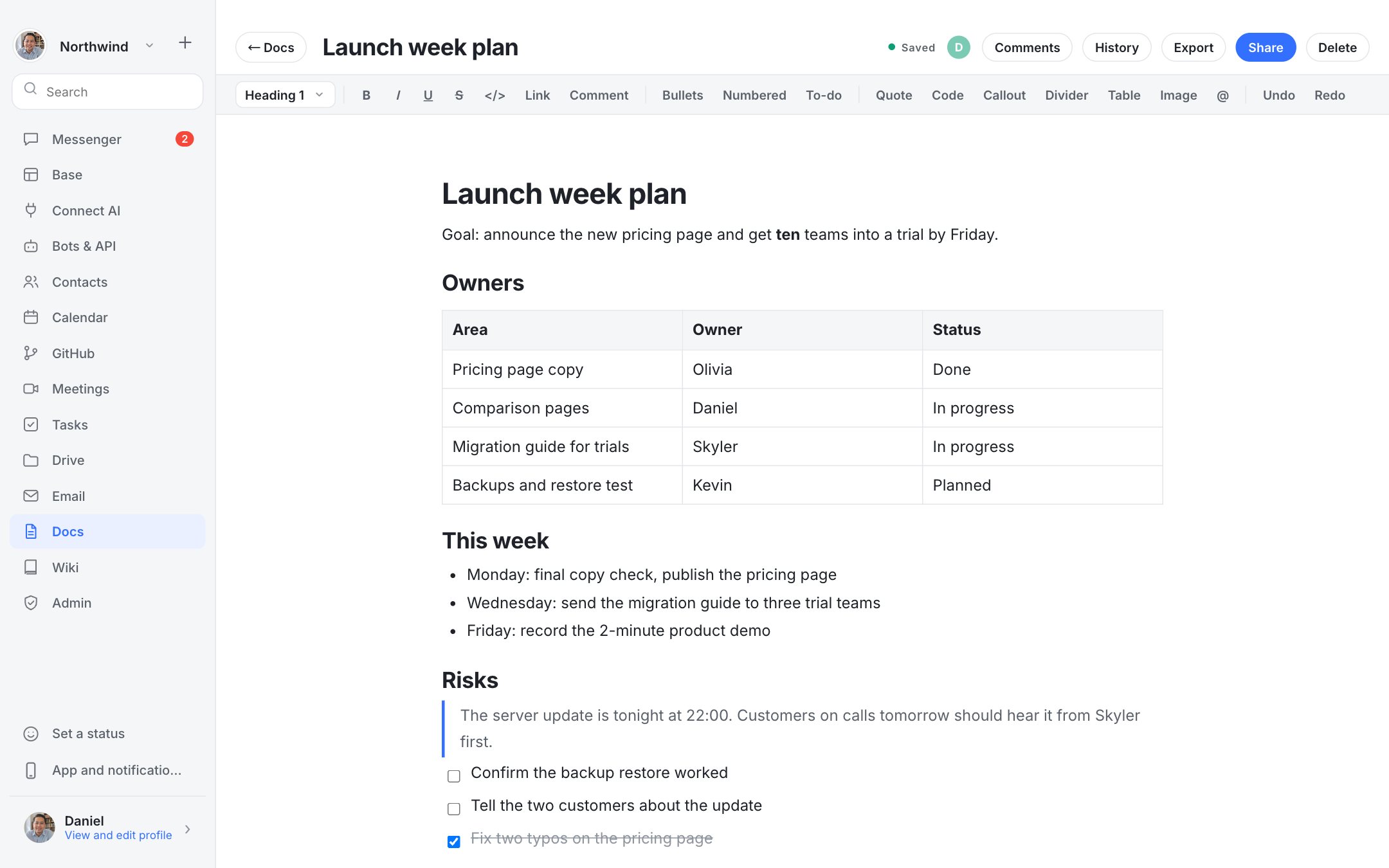
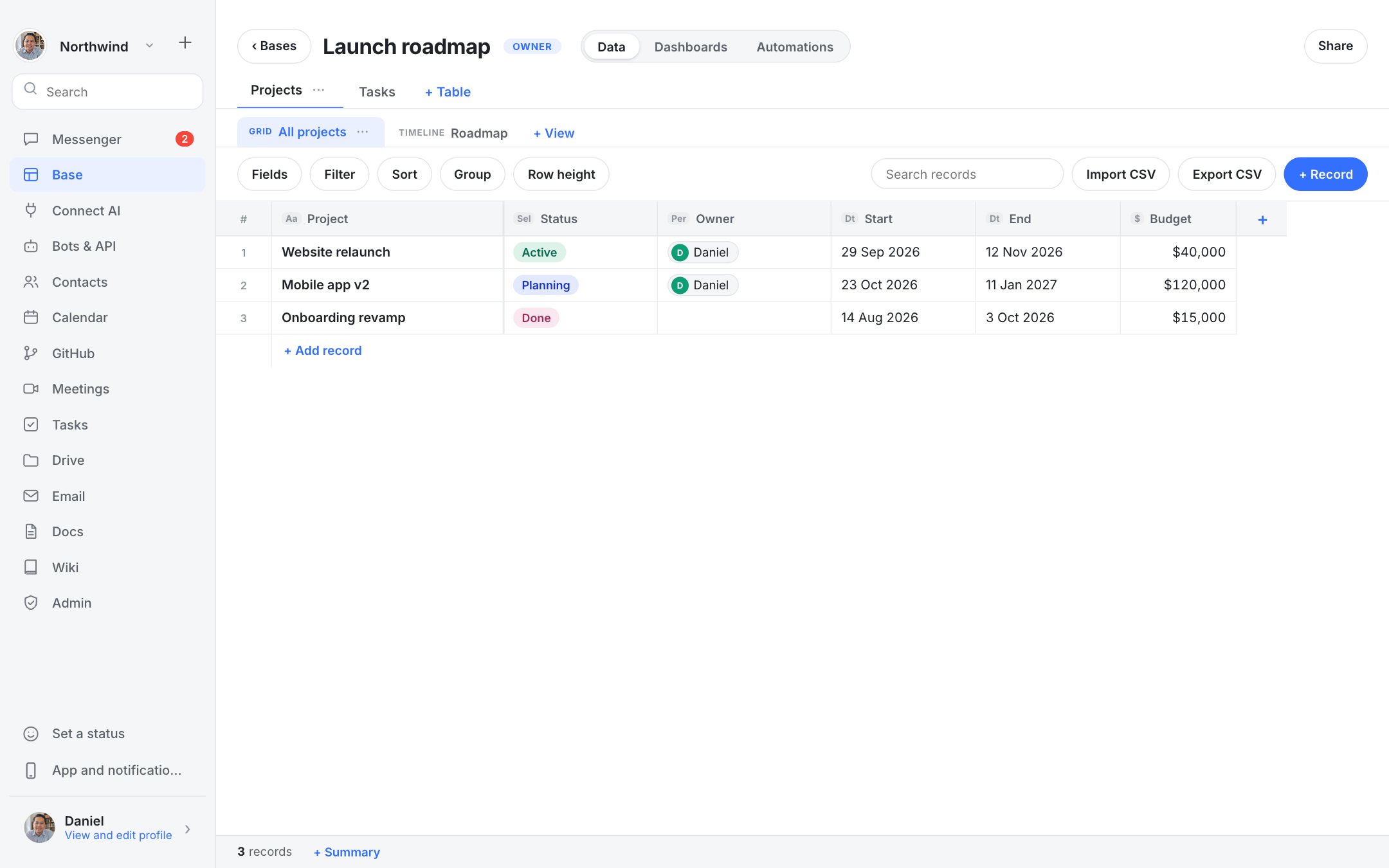
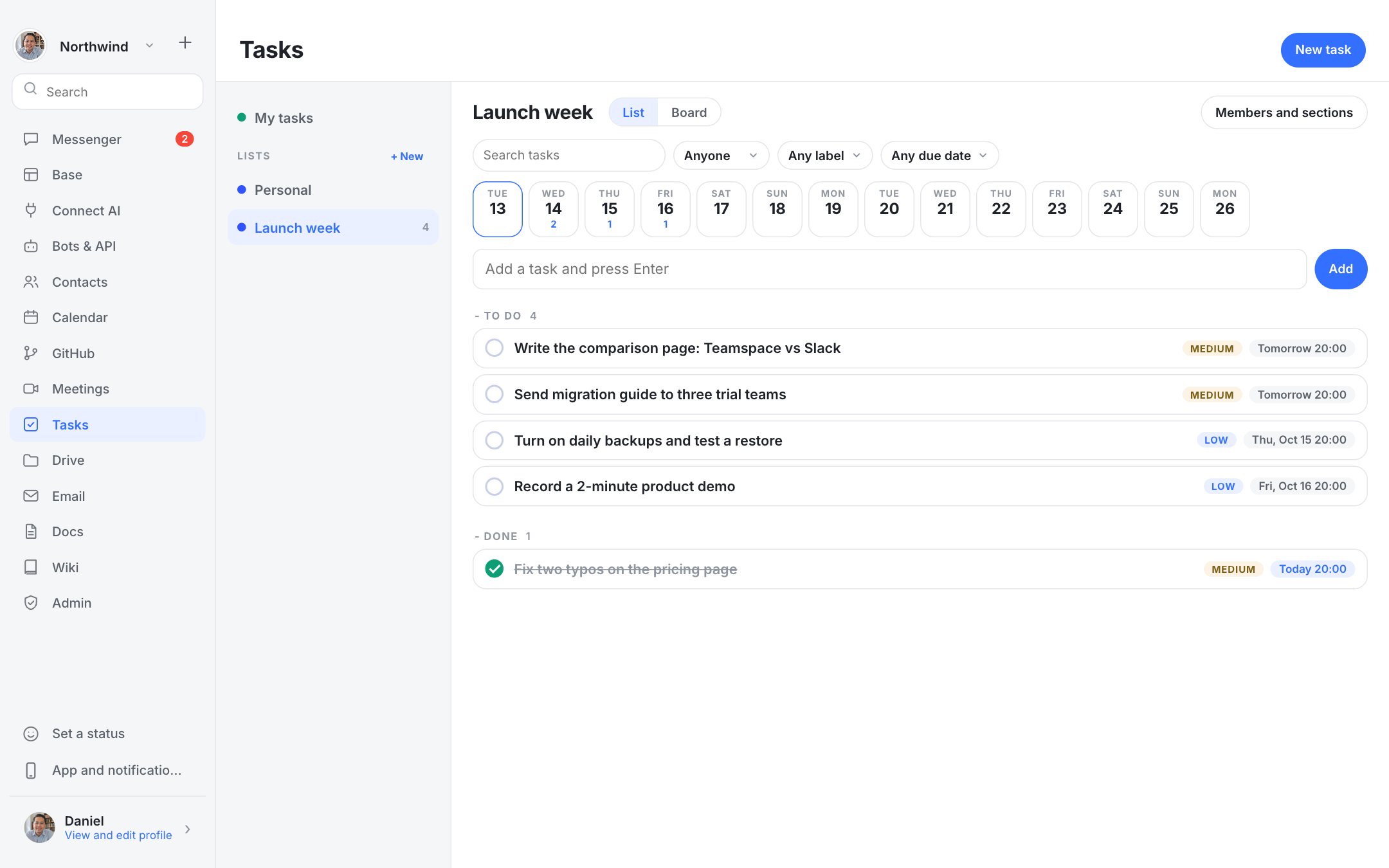
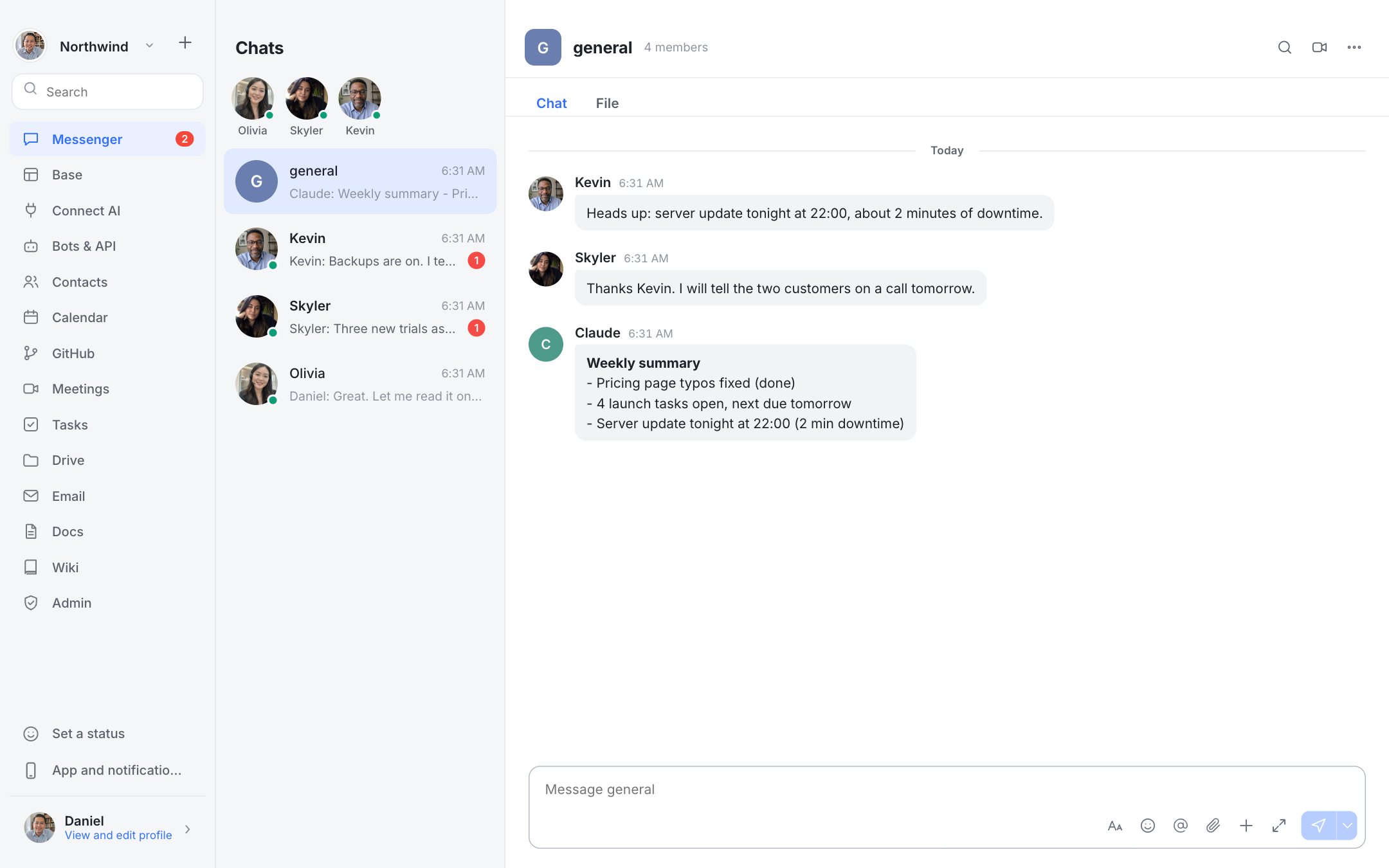
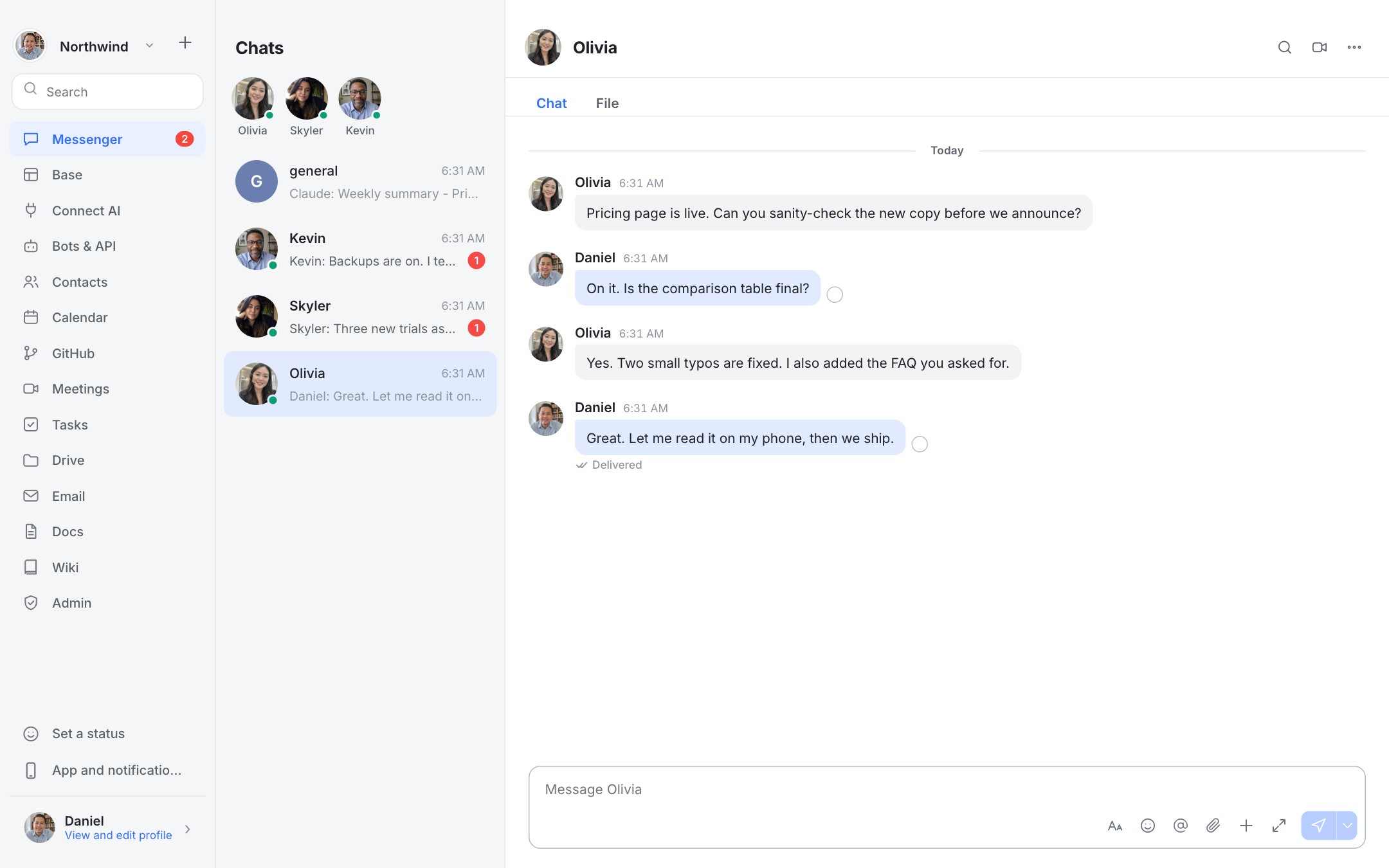
Real screenshots of Dock with a fictional team.
Who should choose which
Choose Dock if: Teams using Discord for work who want business tools.
Choose Discord if the stronger points in the table are what you need. Product details change, so check Discord's current plans and documentation before you decide.
Questions
Does Dock have always-on voice channels?
No. Meetings start and end.
Is Dock cheaper than Discord?
Dock has no per-seat fee; you pay for your own server. Whether that is cheaper depends on your team size and what you pay Discord. Use the savings calculator above with your own prices.